Free Tuition Fee Register Format in Excel (Monthly Fee Sheet Template Download)
If you run a tuition class or coaching center, you probably face this problem regularly.
Some students pay on time.
Some pay partially.
Some say “Sir next week pakka de denge.”
By the end of the month, the confusion begins.
You start asking yourself:
Which students have paid?
Who still has pending fees?
How much fee was collected this month?
How much money is still pending?
If you are writing everything in a notebook or diary, checking records becomes slow and messy.
That’s exactly why many teachers use a Tuition Fee Register Format in Excel.
A simple Excel sheet can make monthly fee tracking much easier.
Download Free Tuition Fee Register Format in Excel
You can simply use monthly fee tracking Excel sheet to organize your tuition payments.
The sheet helps you record:
Student names
Monthly fees
Month-wise payments
Paid or pending status
Total monthly collection
This type of register is perfect for home tuition teachers and small coaching centers.
Once everything is in the Excel, you don’t have to check your notebook again.
You can quickly see which students are paid and which are pending.
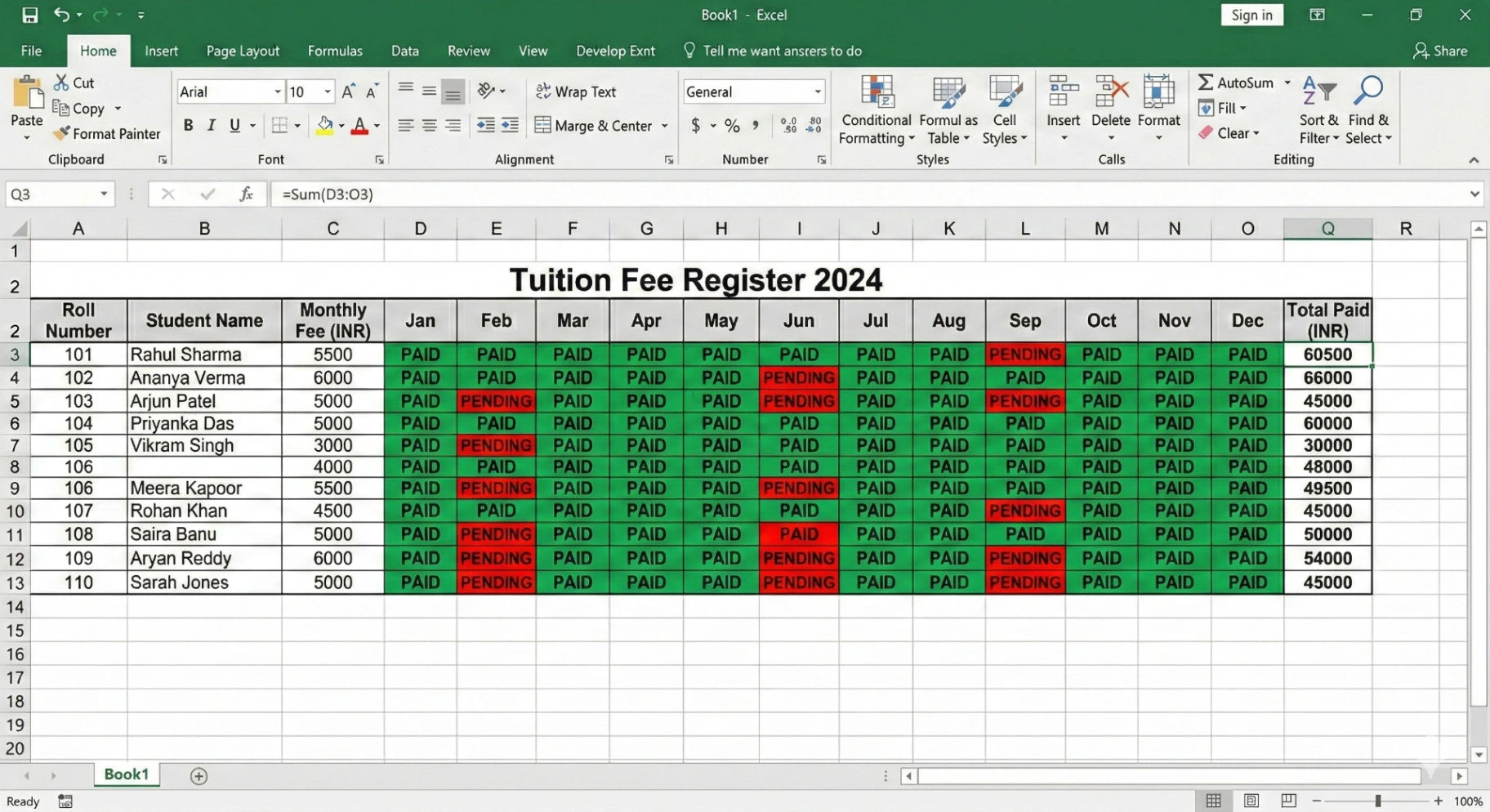
Download Tuition Fee Register Format in Excel
What a Tuition Fee Register Usually Contains
Roll No | Student Name | Monthly Fee | Jan | Feb | Mar |
|---|---|---|---|---|---|
1 | Rahul | ₹500 | Paid | Paid | Pending |
2 | Ananya | ₹500 | Paid | Pending | Pending |
3 | Arjun | ₹500 | Paid | Paid | Paid |
With this structure, you can quickly understand:
Who paid or not
Who still has pending fees
How much fee was collected
It keeps everything organized in one place.
What’s Included in This Excel Fee Register Format
This monthly fee tracking sheet includes:
Batch Name section
Total Students counter
Total Collected summary
Roll No, Student Name, and Class columns
Monthly Fee column
Month-wise columns (Jan to Dec)
Automatic Total Paid calculation
Monthly Paid or Pending status
If a student pays full January fee, it shows “Paid”.
If payment is incomplete, it shows “Jan Pending”.
Simple logic. No advanced Excel knowledge required.
Download Tuition Fee Register Format in Excel
But Excel Still Has Some Limitations
Excel works well when you have a small number of students.
However, many teachers eventually notice a few problems.
You still have to:
Update payments manually
Call parents for reminders
Check pending students manually
Maintain attendance separately
Generate receipts manually
Complicated formulas
When your tuition grows, these small tasks start taking a lot of your time.
Many teachers eventually feel:
"Excel thik hai… but thoda time zyada lag raha hai."
This is where automation tools start becoming useful.
A Simpler Way to Manage Tuition Fees
Instead of maintaining everything manually, some teachers now use tools designed specifically for tuition classes.
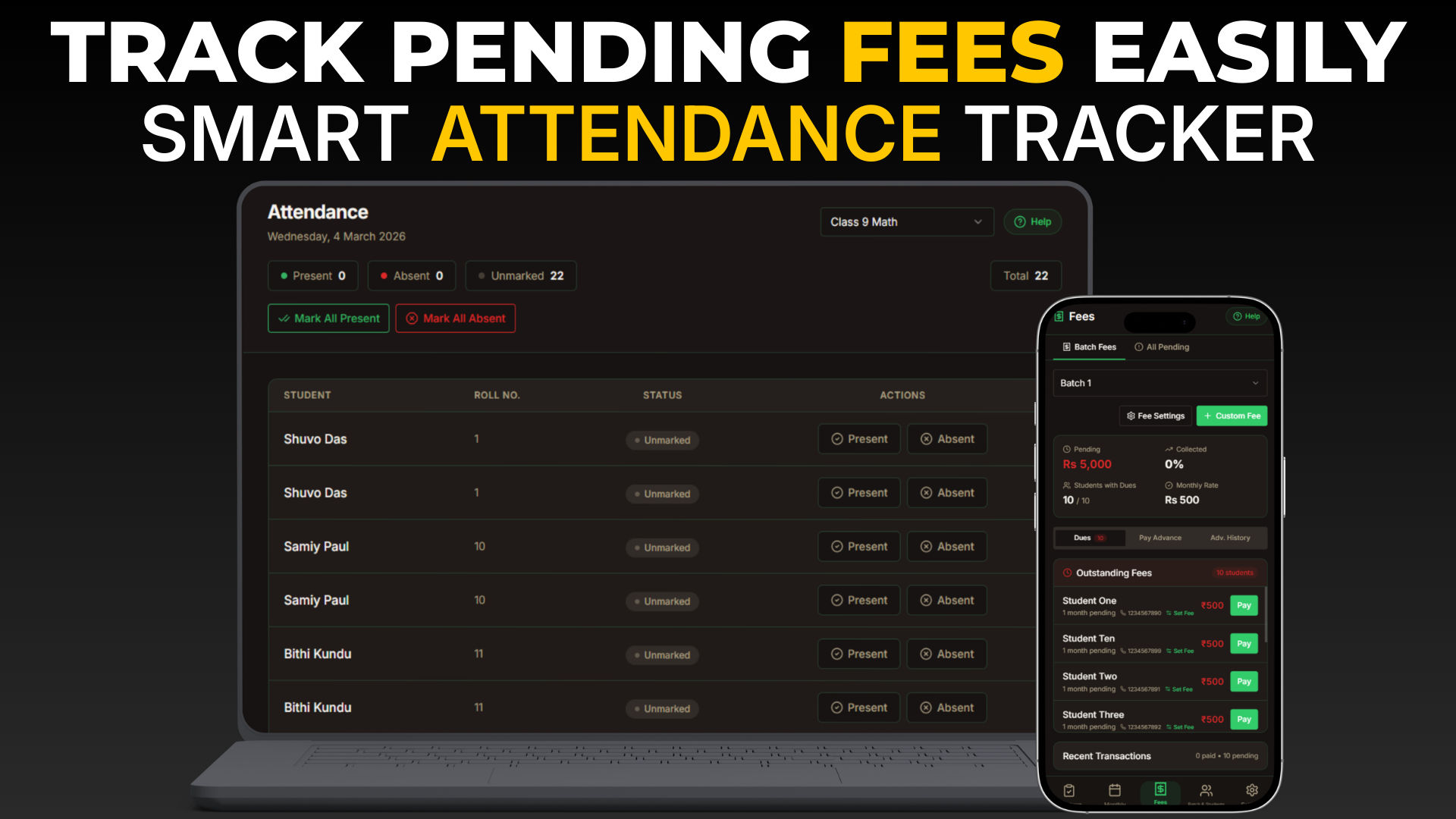
StudentKhata is a digital system built for tuition teachers and coaching centers.
It allows you to manage:
✔ Automatic monthly fee tracking
✔ Smart pending list
✔ WhatsApp reminders Templates
✔ Attendance management
✔ PDF receipts
✔ Mobile access + Web Acees
Instead of checking Excel sheets every time, the system automatically shows which students are pending.
Teachers can even send fee reminders directly through WhatsApp.
When Should You Use Excel vs StudentKhata?
Excel is a good option if:
You have small tuition batches or have less than students
You prefer manual records
You want a simple tracking system
But if you want to save time and reduce manual work, digital tools become much more helpful.
Many teachers start with Excel and later switch to a system like StudentKhata when their coaching grows.
Want to Automate Fee Tracking?
If you want:
✔ Automatic monthly fee tracking
✔ Smart pending list
✔ WhatsApp reminders Templates
✔ Attendance management
✔ PDF receipts
✔ Mobile access + Web Acees
You can try StudentKhata Premium – 90 Days Free Trial.
Start with Excel.
Upgrade when you want less manual work.
Final Thoughts
Managing tuition fees doesn’t need to be confusing.
A Tuition Fee Register Format in Excel is a simple way to organize payments and track student fees.
It helps teachers:
stay organized
track monthly payments
identify pending students
maintain proper records
Start with Excel if you want a simple solution.
And when your tuition grows, tools like Student Khata can help you manage everything much more efficiently.
Download Tuition Fee Register Format in Excel
Useful Tools: Tired of Excel? Try our dedicated Tuition Fee Management Software.